
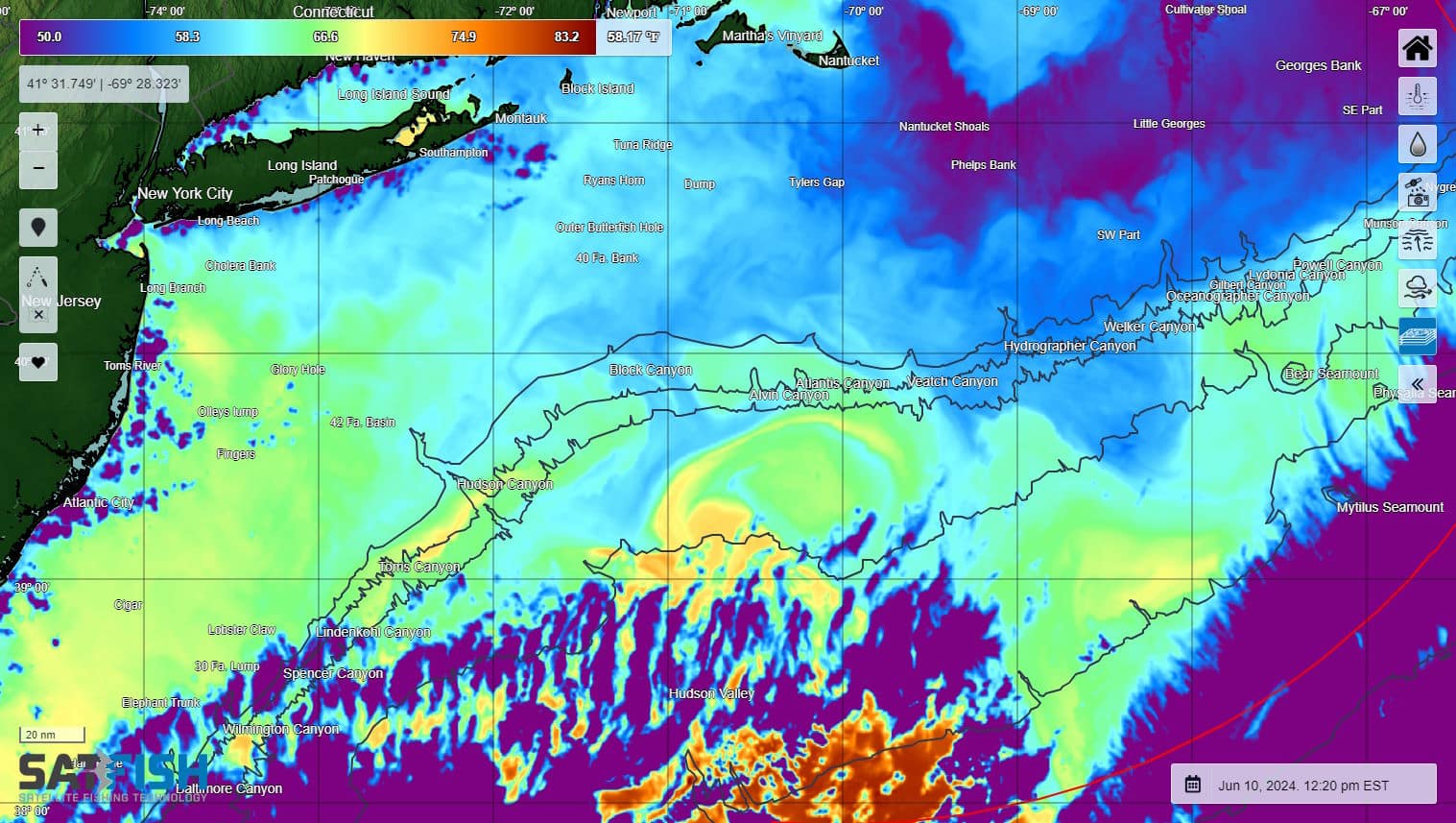
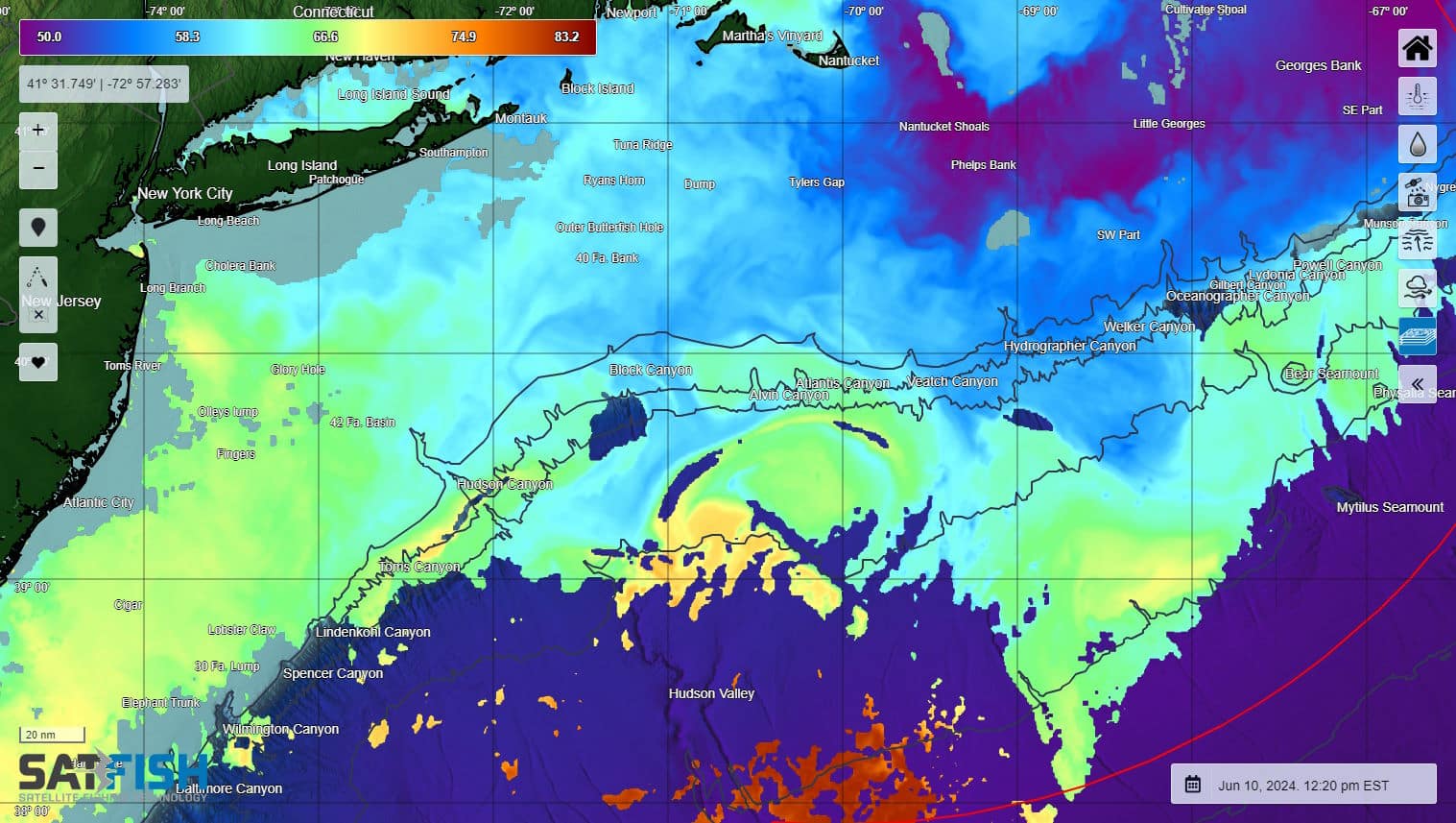
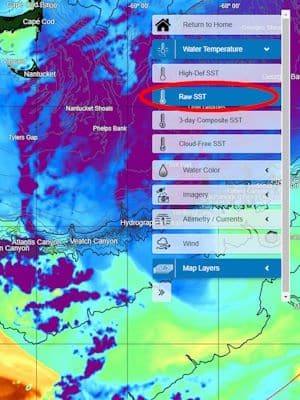
SatFish’s unfiltered (or “Raw”) SST layer shows the full-coverage temperature data direct from the high-defintion infrared satellite sensors, without any cloud masking or data filtering. These images show sea surface temperatures just as the sensor “sees” them, without blank areas of data removed by the cloud filter. The Raw SST layer is most suitable for slightly more advanced users as it takes some experience and knowledge to be able to interpret it accurately.
Even with today’s advanced machine learning and artificial intelligence, our human eyes and brains are still much better at interpreting which areas show valid SST readings vs. areas of “bad” data from clouds and other interference.
Our regular high-definition sea surface temperature charts use advanced cloud-masking routines to filter out bad or low-quality data caused by cloud cover, fog, and other interference from land and glare. One of the ways the cloud filter detects “bad” data is that clouds are typically much colder than the ocean surface. Most of the time, these areas are pretty obvious and easy for the filter algorithm to identify and remove. However, in some regions and certain times of the year it’s not so easy to distinguish between the signal coming from the ocean surface water vs. the water vapor that makes up clouds, and the filter may inadvertently cut out areas of “good” data. This is especially true in regions where water temps vary a lot and/or change quickly.
For example, the Raw SST layer is especially useful is around the Gulf Stream as it flows over the deepwater canyons offshore from the East Coast. When the edge of the Gulf Stream moves 10 miles overnight and the water temp that read 75 degrees yesterday at a particular spot drops suddenly to 65 degrees, the cloud algorithm filters out data from that spot because, to an infrared temperature sensor, that “colder than expected” data signal is indistinguishable to what happens when a fog bank rolls in.

The same is true at the warm end of the temperature scale. The filter we use for the regular high-def SST layer removes “hot spots” as these are most commonly caused by glare or temporary afternoon heating that doesn’t extend below the very thin surface skin of the ocean (less than 1 mm thick). A warm current like the Gulf Stream pushing into the area creates a similar “warmer than expected” data signal to the infrared sensor, so the Raw SST layer shows these areas that would otherwise be cut out by the filter.
We only provide the Raw SST layer in regions where the cloud filter struggles with good vs. bad data. We don’t show the Raw SST for the US West Coast, for example, as the vast majority of areas that might be “confusing” to the sensor are actually bad data areas that are correctly removed by the cloud filter. If you don’t see the Raw SST layer for your region but have a good use case for it (similar to the Gulf Stream example), please drop us a line and we’d be happy to explore adding it!
Data courtesy of NASA PO.DAAC, GHRSST, & NOAA Coastwatch. Not to be used for navigation.
Frequently Asked Questions
What are Unfiltered (Raw) Sea Surface Temperature (SST) charts?
Unfiltered (Raw) SST charts show sea surface temperature exactly as the satellite sensor detects it, without cloud masking or filtering. That means you may see cloud interference (often as purple areas), but you also get full-coverage temperature signals.
Why would a fisherfolk use Raw SST instead of filtered SST?
Raw SST can reveal real temp breaks and edges that the filter sometimes removes by mistake, especially when water temps change fast. This helps you spot potential feeding zones along current boundaries, even when conditions confuse cloud filters.
How do I tell if the Raw SST is showing clouds or real temperature?
Clouds often show as purple or unusually “cold” patches compared to surrounding water, and the pattern may look blotchy or inconsistent. Compare Raw SST to filtered SST using the slider to confirm if a feature is likely real water temperature.
When is Raw SST most useful for offshore fishing?
Raw SST is especially useful around dynamic currents like the Gulf Stream and offshore canyons, where the edge can shift quickly overnight. In these areas, the filter may cut out good data because sudden temperature drops can look like fog or clouds to the sensor.
Why does filtered SST sometimes remove “good” fishing water?
Cloud filters often flag areas that look colder or hotter than expected, because clouds are usually colder and glare can look hotter than the sea surface. Fast-moving warm or cold currents can trigger the same signals, so parts of real temp breaks may get filtered out.
Why don’t I see the Raw SST layer in my region?
Raw SST is only provided in regions where filtering commonly removes valid SST data, so it may not appear in areas where most “confusing” signals are truly bad data. If you have a strong use case for your fishing grounds, you can request that the Raw SST layer be explored for your region.